4.Play With Robot
Play--3 Control Methods
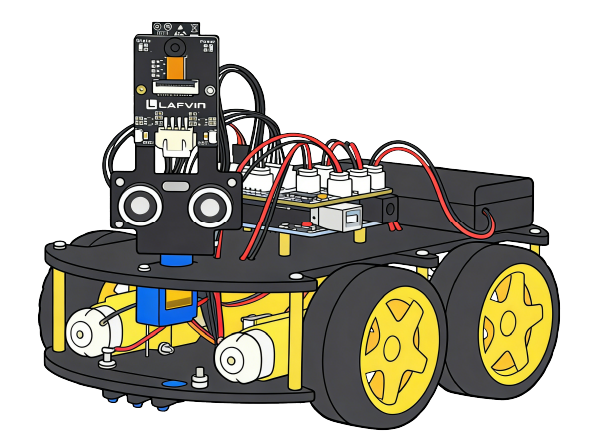
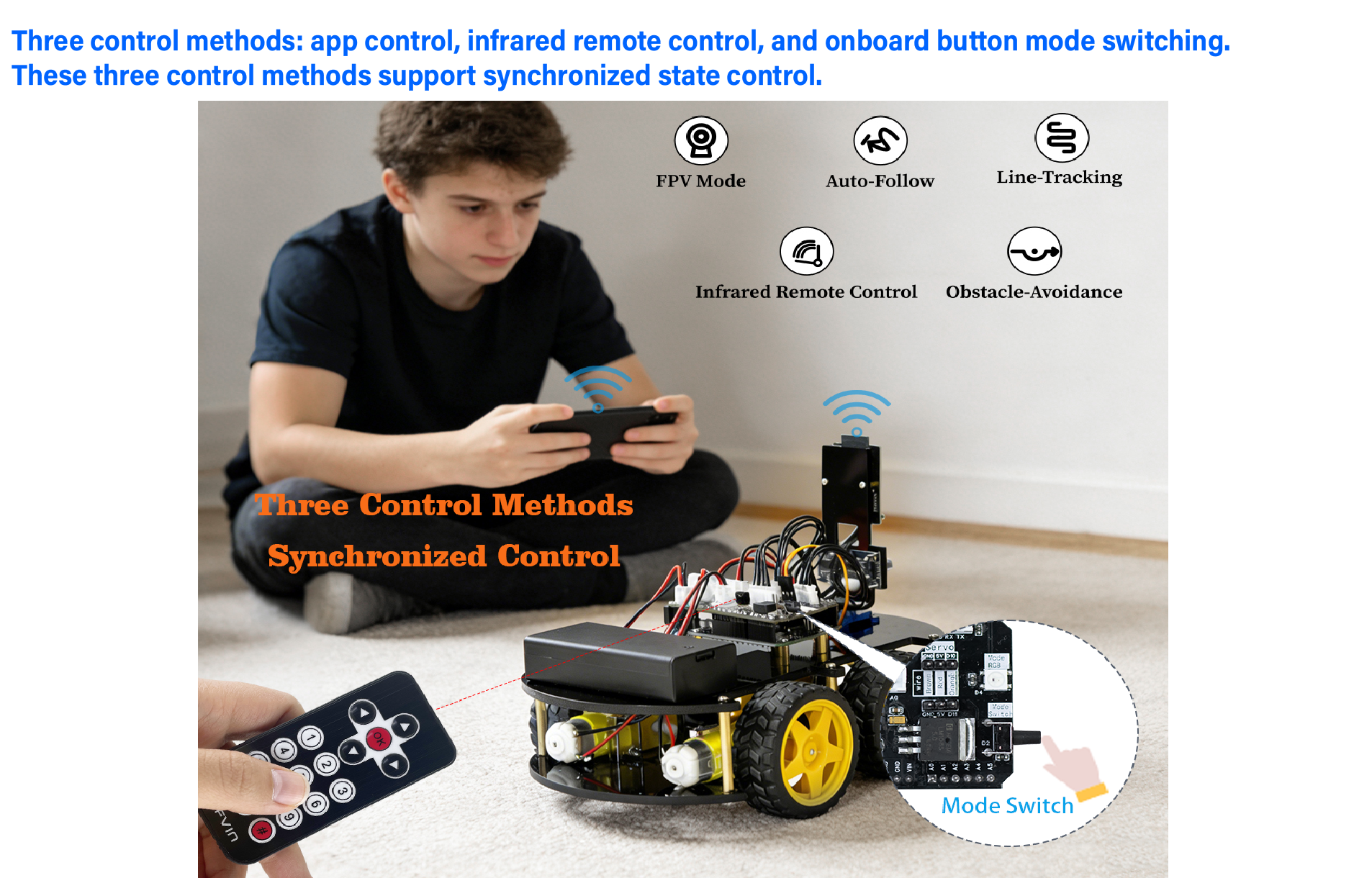
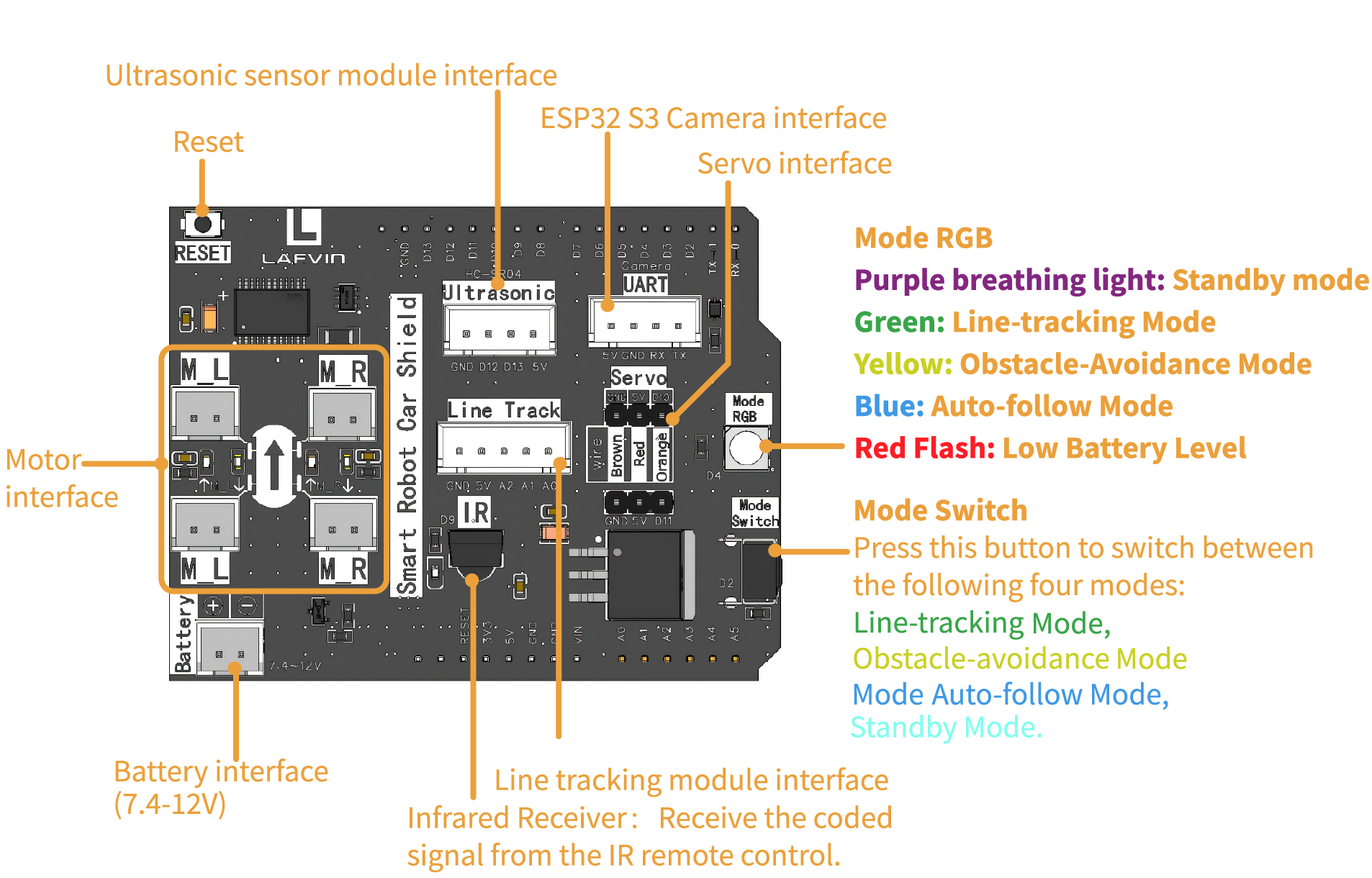
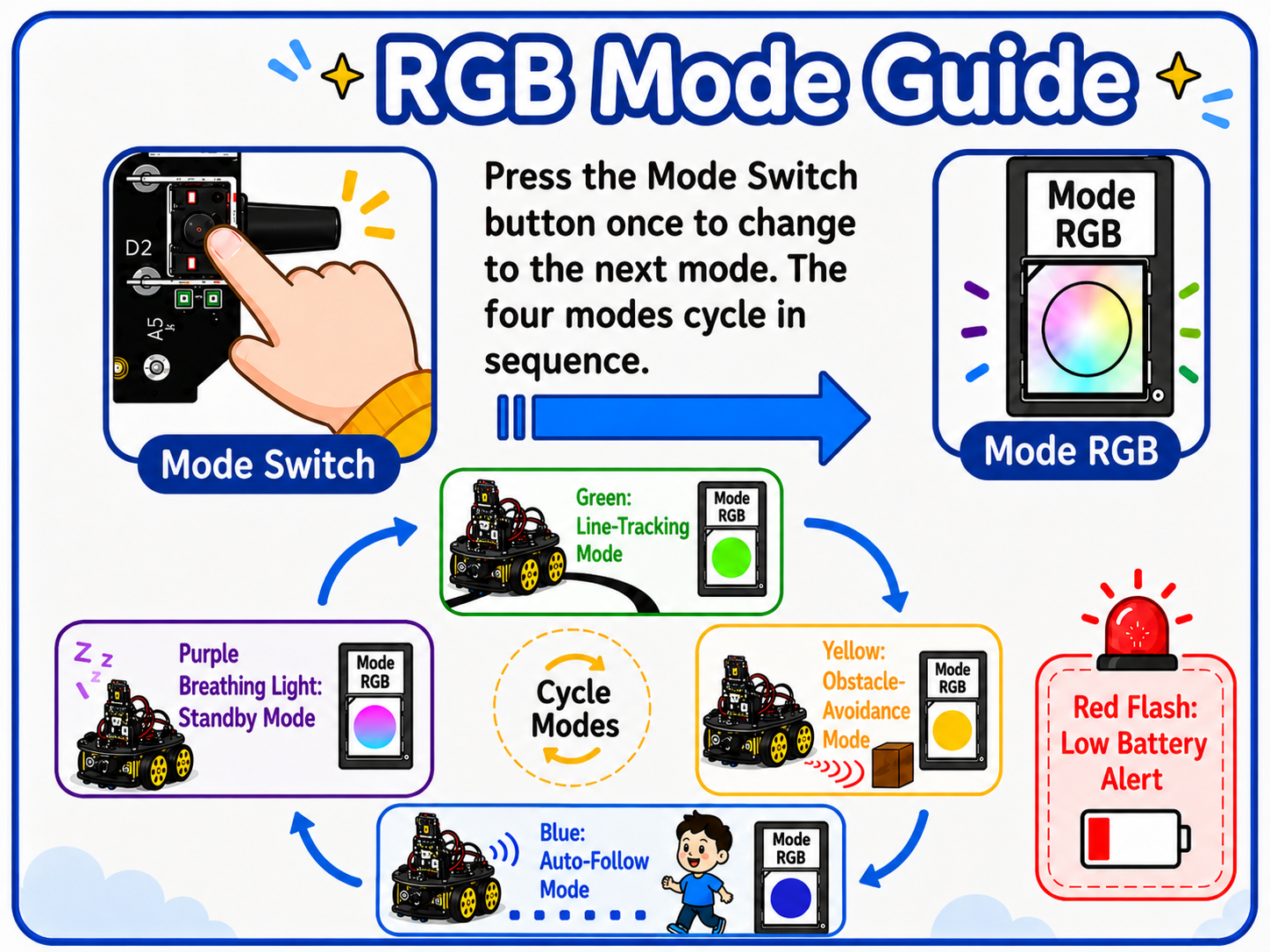
On-board Switch Control
On-board Switch Control
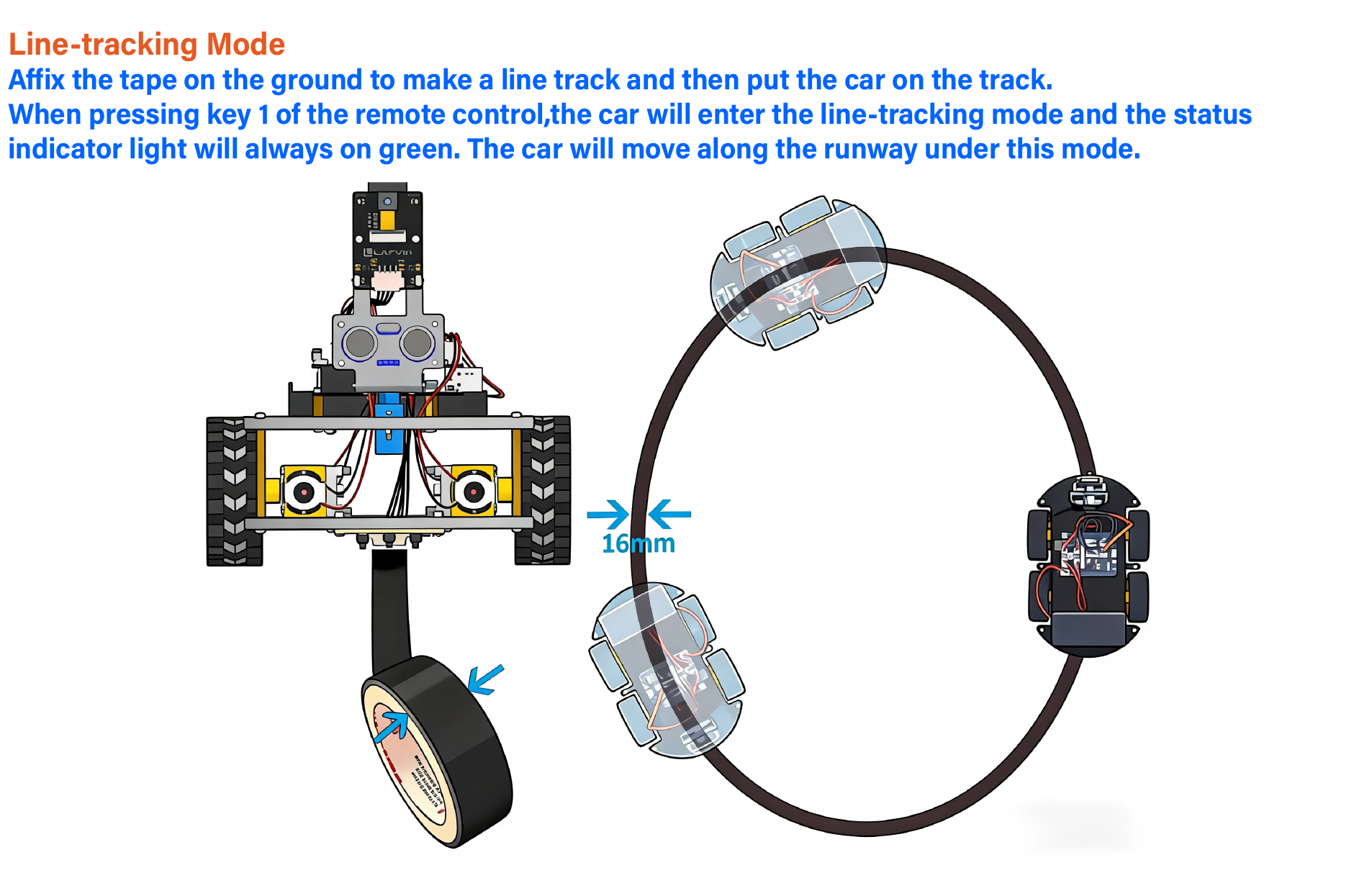
Line-tracking Mode
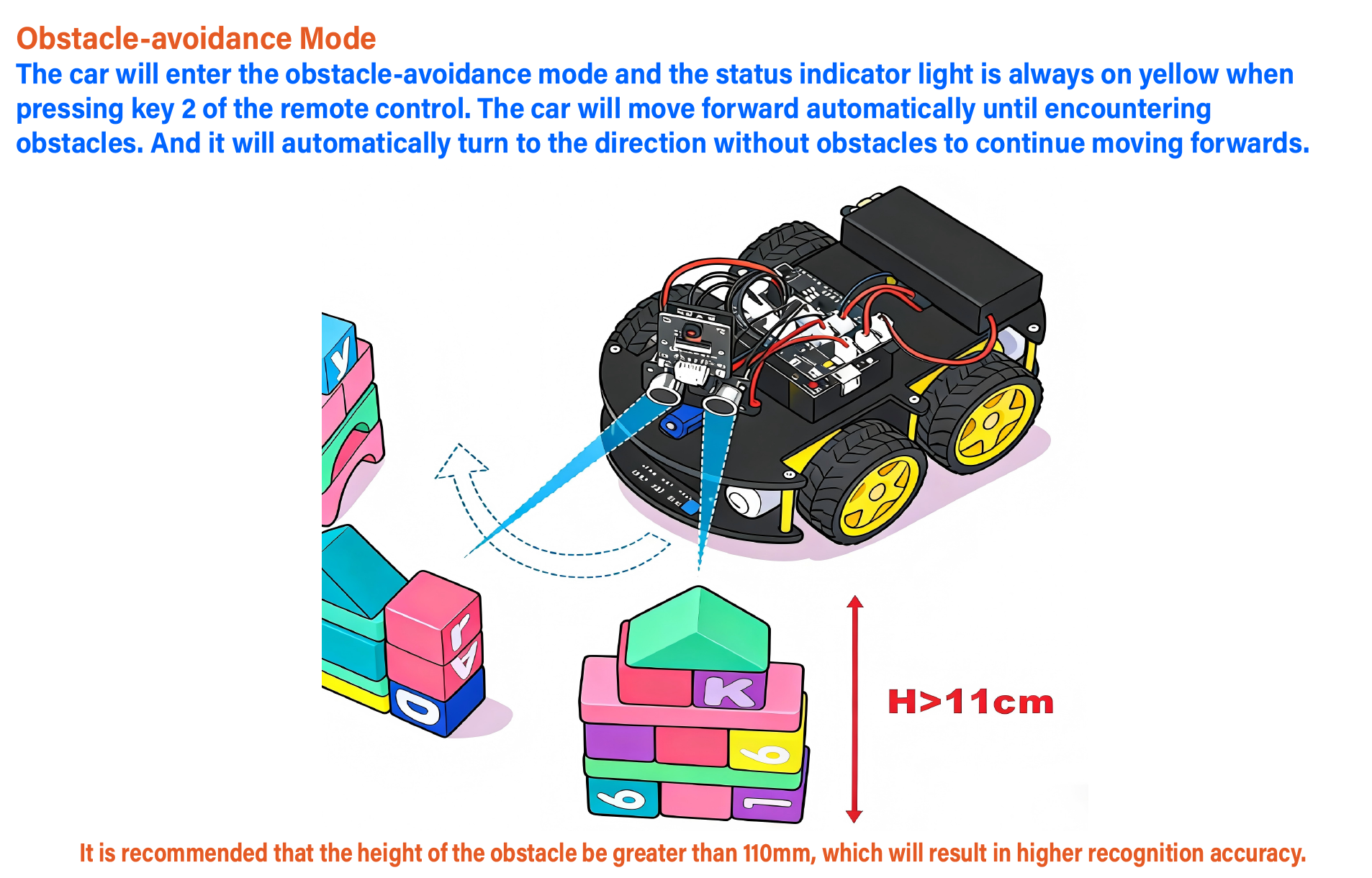
Obstacle-avoidance Mode
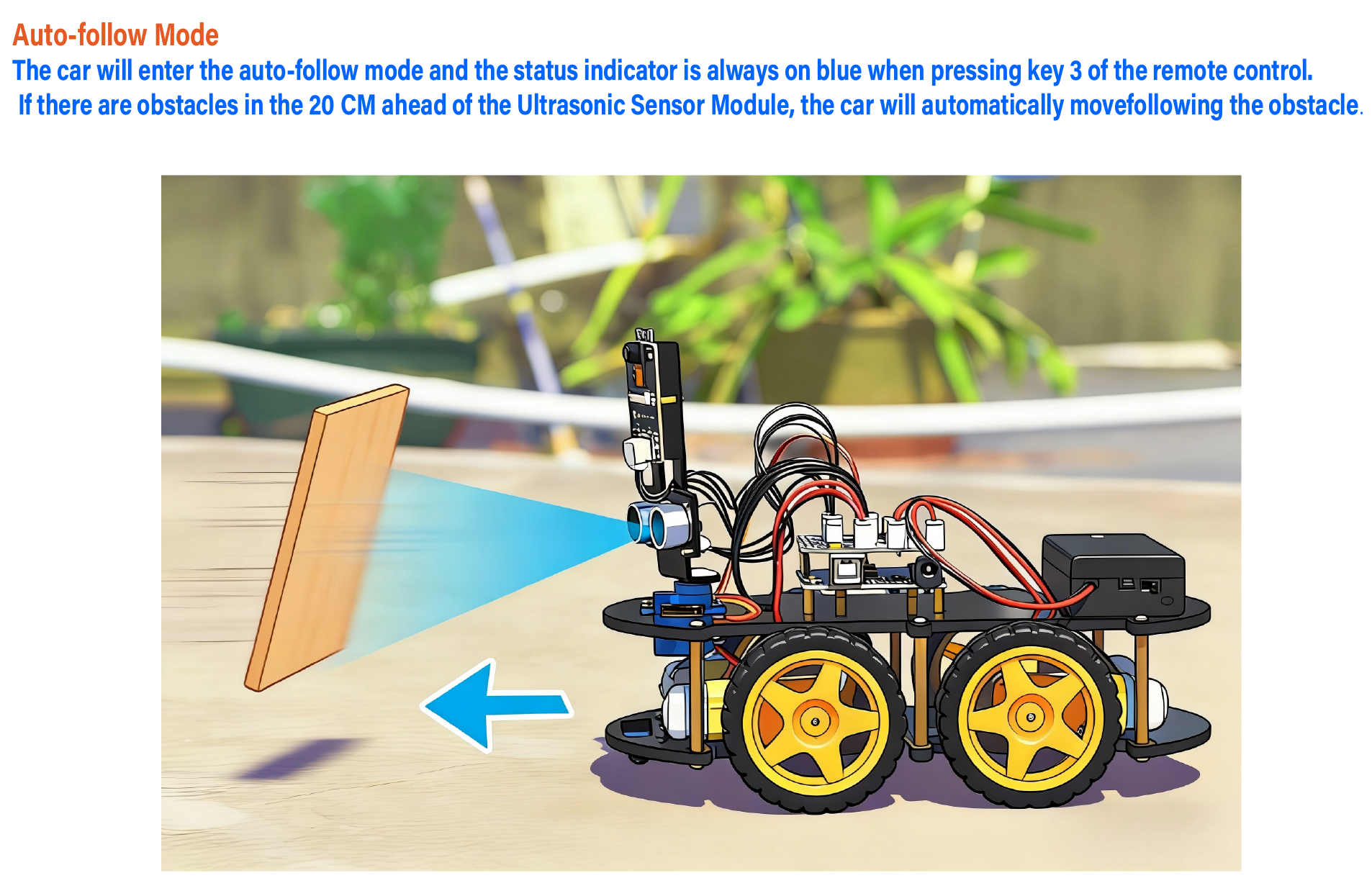
Auto-follow Mode
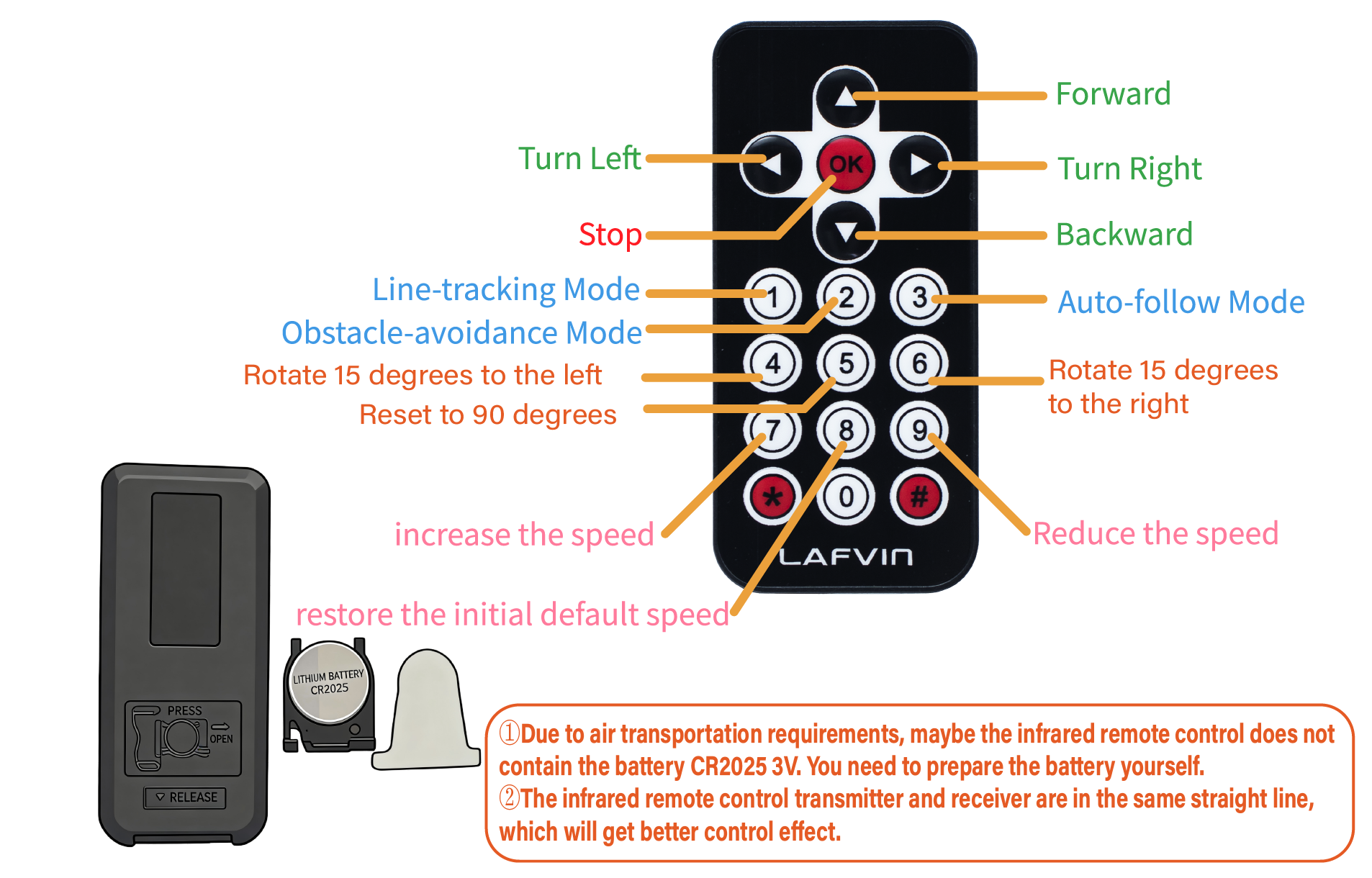
Infrared Remote Control
Infrared Remote Control
APP Control
APP Control
STEP 1: Application Installation
Search 'LAFVIN LARobot' in the App Store or Google Play to download the controller app.
STEP 2: Power on the Camera Module
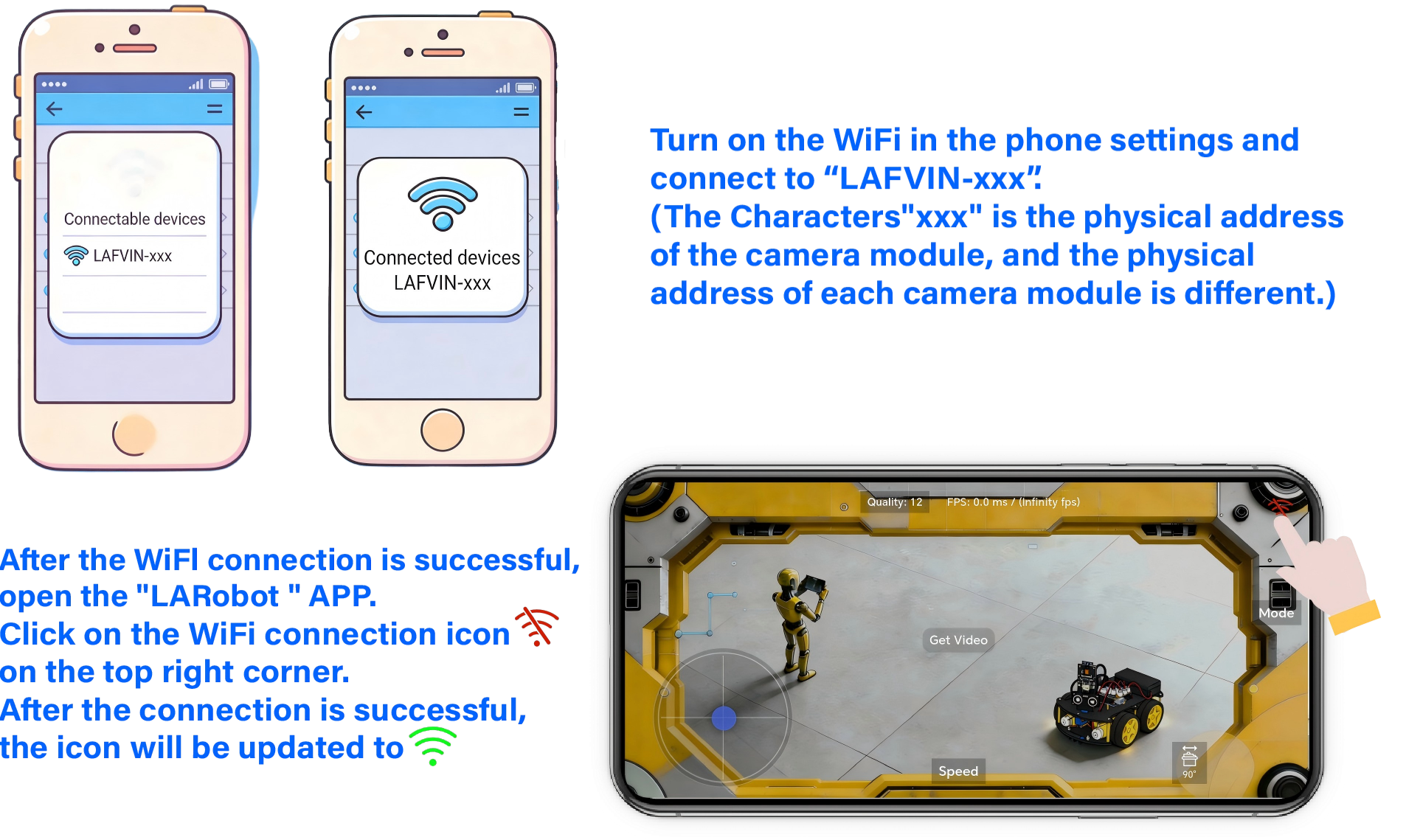
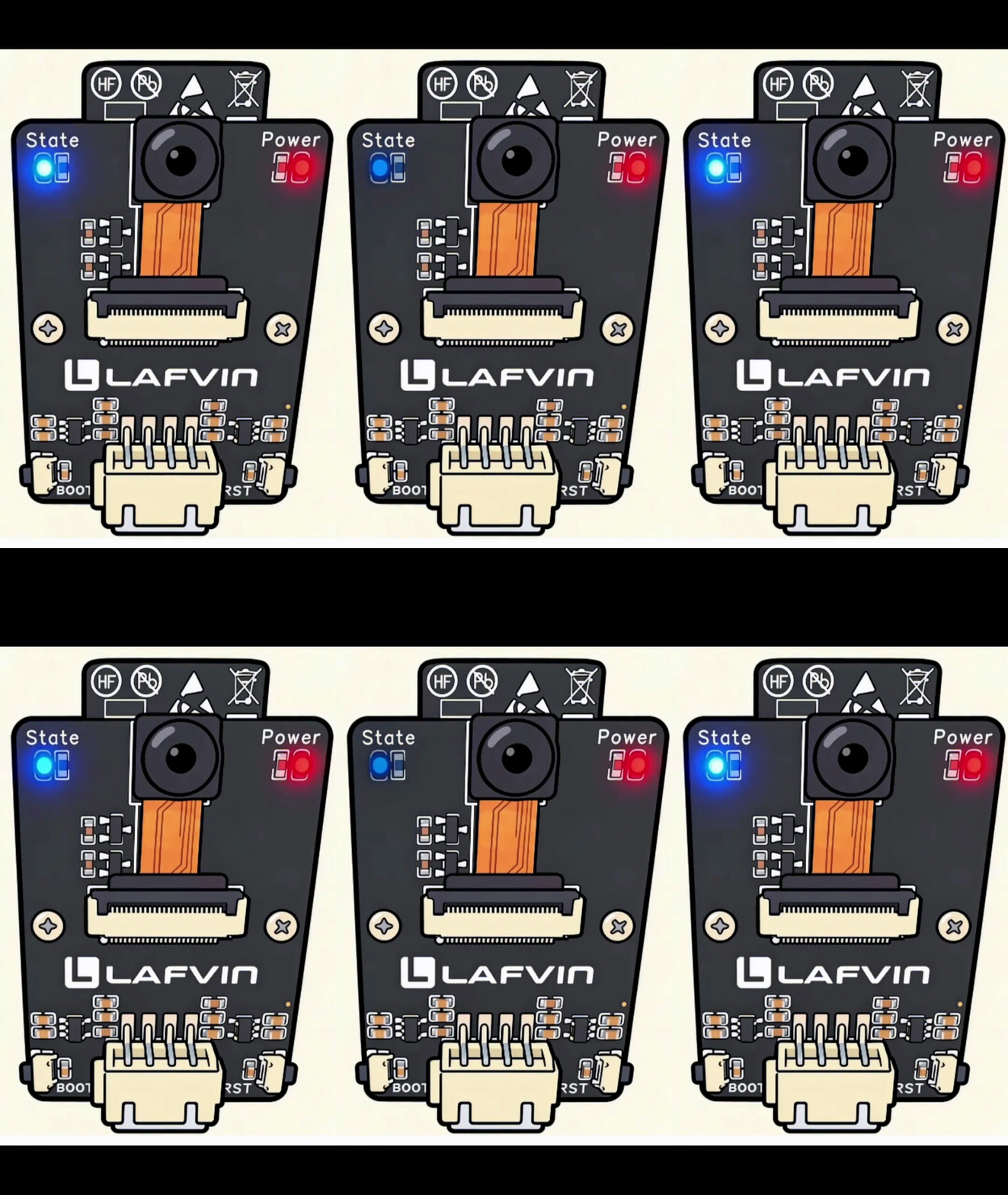
Turn on the power switch of the battery box. After the state led light of the camera module flashes, the WIFI hotspot is in a connectable state.
Note
If the blue LED does not blink, please check whether the camera's ribbon cable is firmly connected.
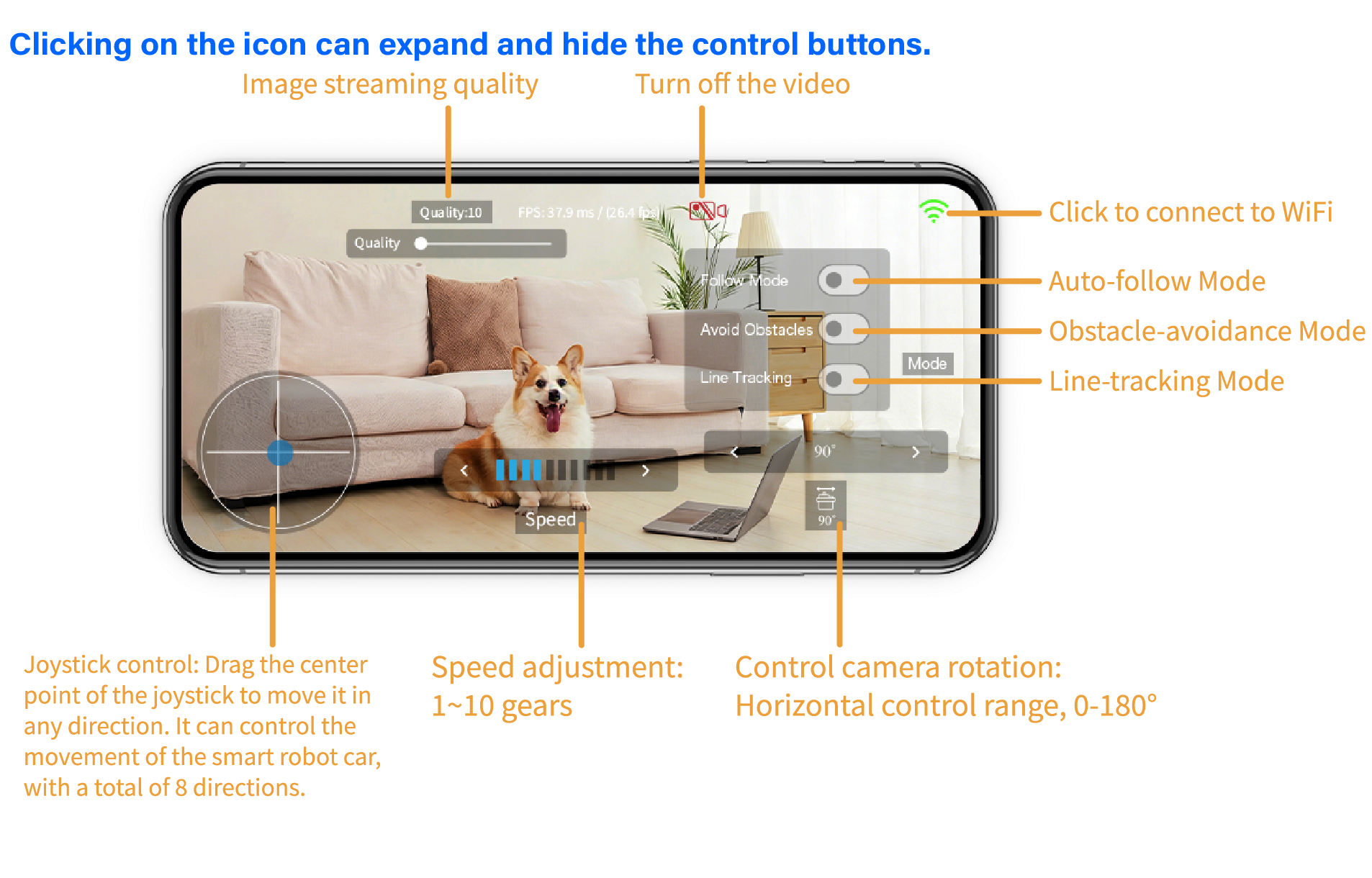
STEP 3: Application Settings